php
How to Build a PHP Login System with MySQL
September 22, 2026
# How to Build a PHP Login System with MySQL
In this step-by-step tutorial, you will learn how to build a secure PHP login system using PHP and MySQL. We will start from creating the database and users table and gradually build registration, login, logout, session management, validation, password hashing, and protected pages.
## 1. Create the MySQL Database
First, create a MySQL database for the authentication system. We will use this database to store user information such as name, email, and password.
## 2. Create the Users Table
Create a `users` table with fields such as:
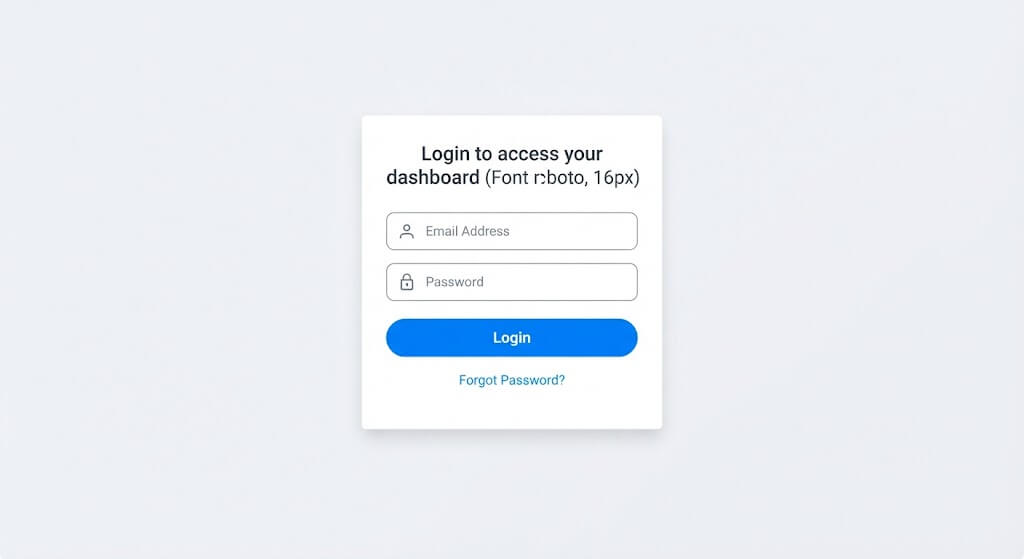
* `id`
* `name`
* `email`
* `password`
* `created_at`
The email field should be unique so that the same email address cannot be registered multiple times.
## 3. Connect PHP with MySQL
Create a database connection file and connect your PHP application to MySQL using PDO or MySQLi.
For example, create:
`config/database.php`
This file will be reused whenever the application needs to communicate with the database.
## 4. Create the Registration Form
Create a registration form where users can enter:
* Full Name
* Email Address
* Password
* Confirm Password
The form should use the `POST` method to send the information securely to the server.
## 5. Validate User Input
Before inserting data into the database, validate the submitted information.
Check that:
* Required fields are not empty.
* The email address is valid.
* The password meets the required criteria.
* Password and confirm password match.
* The email address does not already exist.
## 6. Sanitize and Escape Output
User input should be handled carefully. When displaying user-provided data in HTML, use appropriate escaping such as `htmlspecialchars()` to help prevent Cross-Site Scripting (XSS).
## 7. Hash the Password
Never store users' plain-text passwords in the database.
Use PHP's `password_hash()` function:
```php
$hashedPassword = password_hash($password, PASSWORD_DEFAULT);
```
Store the generated hash in the database instead of the original password.
## 8. Insert the User into MySQL
Use a prepared statement to insert the validated user information into the database.
Prepared statements help protect database queries from SQL injection.
## 9. Create the Login Form
Create a login form where users can enter their:
* Email
* Password
When the form is submitted, PHP will verify the credentials against the database.
## 10. Find the User by Email
Use a prepared statement to retrieve the user from the database using their email address.
For example:
```php
SELECT * FROM users WHERE email = ?
```
## 11. Verify the Password
After retrieving the user, use PHP's `password_verify()` function to compare the entered password with the stored password hash.
```php
password_verify($password, $user['password']);
```
If the password is correct, the user can be authenticated.
## 12. Create a PHP Session
After successful authentication, start a PHP session and store the user's information in the session.
For example:
```php
$_SESSION['user_id'] = $user['id'];
$_SESSION['user_name'] = $user['name'];
```
The session allows the application to remember that the user is logged in while navigating between pages.
## 13. Create a Protected Dashboard
Create a dashboard page that can only be accessed by authenticated users.
If a visitor is not logged in, redirect them to the login page.
For example:
```php
if (!isset($_SESSION['user_id'])) {
header('Location: login.php');
exit;
}
```
## 14. Create the Logout System
Create a `logout.php` file that destroys the user's session and redirects them back to the login page.
This allows users to securely log out of their account.
## 15. Handle Login Errors
Display appropriate error messages when:
* The email does not exist.
* The password is incorrect.
* Required fields are missing.
* Invalid information is submitted.
Avoid revealing unnecessary information, such as whether a particular email address exists in the database.
## 16. Improve Session Security
For a more secure authentication system, regenerate the session ID after successful login:
```php
session_regenerate_id(true);
```
This helps reduce the risk of session fixation attacks.
## 17. Test the Complete Login System
Finally, test the complete authentication flow:
1. Register a new user.
2. Check the user in the database.
3. Try logging in with the correct password.
4. Try an incorrect password.
5. Access the protected dashboard without logging in.
6. Log out.
7. Try accessing the dashboard again.
## Conclusion
By following these steps, you can build a basic PHP login system with MySQL using secure password hashing, prepared statements, sessions, input validation, and protected pages.
This project is a good foundation for learning PHP authentication and can later be extended with features such as email verification, password reset, remember-me functionality, user roles, admin authentication, and two-factor authentication.